
Affiliate Marketing Tools For Beginners
Discover the affiliate marketing tools for beginners they actually need, what can wait, and how to avoid spending money on unnecessary software.
When you first begin exploring affiliate marketing, the volume of tool recommendations can be staggering. Turn to any tutorial or forum, and you will encounter an endless list of "must-have" software: premium funnel builders, complex tracking suites, high-end SEO subscriptions, and automated email platforms costing hundreds of dollars a month.
For a beginner—especially someone starting after 55 or looking for a lean, manageable venture—this software overload creates unnecessary financial pressure and mental friction. The truth is simple: you do not need a massive tech stack to launch and run an affiliate business.
Before spending a single dollar on software subscriptions, let's break down what affiliate marketing actually requires, which tools are essential right now, and what can wait until your business generates consistent revenue.
1. Understanding the Basic Activities Involved in Affiliate Marketing
Strip away the jargon, and affiliate marketing boils down to three core actions:
- Attracting an audience: Helping people find your solutions to their specific problems or questions.
- Providing clear, honest recommendations: Explaining why a particular product, service, or resource is worth using.
- Routing buyers safely: Sharing an affiliate link that ensures the vendor recognizes you as the referring party when a purchase is made.
Every tool you ever consider purchasing must directly support one of these three tasks. If a piece of software does not help you publish helpful content, reach people, or track your recommendations, it is a distraction.
2. What Tools Are Essential for Your Chosen Approach?
Your tool requirements depend entirely on the distribution channel you choose:
- Content/Blogging Approach: Relies heavily on a reliable website platform and basic search optimization.
- Social Media Approach (e.g., YouTube, Instagram, Facebook): Relies on the platform itself, a clear link routing solution, and basic video or image design software.
- Direct Network/Community Approach: Relies primarily on clear communication channels and direct link management.
Match your toolkit to your chosen method rather than assembling a generic collection of software you may never log into.
3. Do You Need a Website to Begin Affiliate Marketing?
Technically, no. Many affiliates operate entirely on social platforms, sharing review videos or carousels and linking directly to products via their bio or video descriptions.
However, owning a website provides long-term stability. Relying solely on third-party platforms leaves your business vulnerable to algorithm shifts, account suspensions, or changing platform policies. A simple website acts as your home base—a permanent digital asset that you own and control.
If you plan to publish in-depth product comparisons, guides, and tutorials that people search for on Google, a website is well worth setting up from day one.
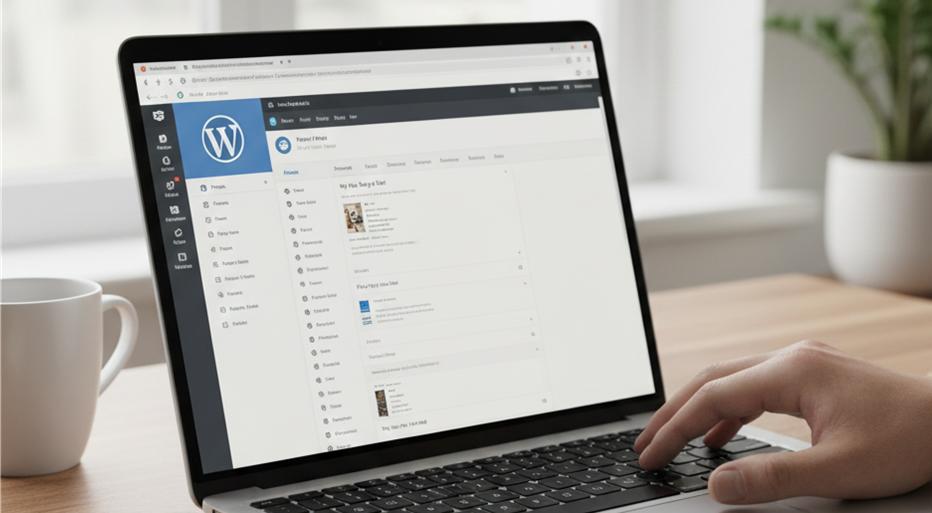
4. Website Builders, Hosting, and Content Management
If you decide to build a website, avoid expensive, all-in-one proprietary platforms that lock you into high monthly fees.
- Recommended Platform: WordPress.org (Self-Hosted)
- WordPress powers over 40% of the web and remains the gold standard for content-led affiliate sites. The software itself is free and open-source.
- Hosting:
- You only need dependable, beginner-friendly shared or managed hosting to start. Reliable hosts generally cost $3 to $10 per month and typically include a free SSL certificate and a free custom domain name for the first year.
- Themes:
- Use lightweight, fast-loading free themes (such as Astra, GeneratePress, or Kadence). Avoid complex page builders that slow your site and require a steep learning curve.
5. Keyword Research and Basic SEO Tools
Understanding what your audience searches for is critical, but enterprise-grade SEO suites costing $100 to $200 per month are unnecessary for beginners.
- Free Google Built-ins:
- Start with Google Autocomplete, the "People Also Ask" box, and related search suggestions at the bottom of the search results page. These show real queries entered by real searchers.
- Free & Low-Cost Tools:
- Use tools like Google Search Console (vital for seeing how your site ranks) and Google Keyword Planner. Free browser extensions and freemium tools like AnswerThePublic can give you dozens of topic ideas at no cost.
- On-Page SEO Plugins:
- If you use WordPress, a free plugin like Rank Math or Yoast SEO provides all the on-page guidance and sitemap creation you need.
6. Email Marketing: When Does It Become Necessary?
An email list is one of the most valuable assets in digital marketing because it lets you communicate directly with interested readers without relying on search engines or social algorithms.
- At the very beginning: Focus first on producing good content and understanding your audience. Don't let email automation setup stall your launch.
- When you have steady visitors: Once your site or social channel receives regular traffic, integrate a simple email opt-in offering a helpful resource (like a checklist or guide).
- Software Choice: Use providers that offer robust free starter tiers (such as MailerLite or AWeber) allowing up to several hundred subscribers and basic automations at zero cost. Upgrade only when your list size exceeds the free tier.
7. Understanding Affiliate Links, Tracking, and Analytics
Managing your links properly prevents broken URLs and lost commissions.
- Affiliate Link Cloaking & Management:
- Long, raw affiliate tracking links look messy and can easily break. Free WordPress plugins like Pretty Links or ThirstyAffiliates allow you to turn an unwieldy affiliate URL into a clean, professional link on your own domain (e.g., [yoursite.com/recommends/product](https://yoursite.com/recommends/product)).
- Basic Analytics:
- Google Analytics 4 (GA4) is completely free and tracks your visitor counts, popular pages, and audience demographics. Most affiliate networks (like Amazon Associates, CJ, or ShareASale) also provide their own built-in click and conversion reporting.
8. Free versus Paid Software: Where to Draw the Line
| Category | Free Option (Start Here) | Paid Upgrade (Wait Until Earning) |
| Site Platform | WordPress.org (free core) | Custom developer setup |
| Hosting & Domain | Essential budget hosting ($3–$8/mo) | Dedicated/Cloud servers ($50+/mo) |
| Visuals & Graphics | Canva Free | Adobe Creative Cloud / Canva Pro |
| Keyword Research | Google Search + Search Console | Ahrefs / Semrush ($120+/mo) |
| Email Marketing | MailerLite / AWeber (Free tiers) | Paid tiers with advanced funnels |
| Link Management | Pretty Links (Free version) |
9. Common Tools and Subscriptions That Can Wait
Sales pitches will try to convince you that success requires an entire software suite from day one. You can safely postpone:
- High-Ticket Funnel Builders: ClickFunnels, Leadpages, and similar software often cost $100 to $300 monthly. Simple WordPress pages or built-in forms work just as well for beginners.
- Enterprise SEO Subscriptions: You do not need deep competitive backlink analysis until you have established content and need to scale.
- Heatmap & Screen Recording Tools: Unless you have thousands of visitors every day, user recording tools provide little practical data.
- Automated Social Schedulers: Manually posting or using free native scheduling tools (like Meta Business Suite) works fine when you are managing a small posting cadence.

10. Building a Simple, Beginner-Friendly Software Setup
Here is a complete, reliable setup designed to keep recurring costs under $10 a month:
- Core Website: Self-hosted WordPress with a fast, free theme.
- Hosting: A reputable budget shared host (includes free SSL and domain).
- SEO & Link Cloaking: Free Rank Math plugin + free Pretty Links plugin.
- Audience Research: Google Search Console and native Google search features.
- Creative Graphics: Free tier of Canva for featured images and social graphics.
- Audience Retention: A free-tier email service provider (added once initial traffic starts flowing).
Essential vs. Optional Affiliate Marketing Tools Checklist
Phase 1: Essential Day-One Tools (Total Cost: ~$3–$10/month)
- Domain name & budget web hosting (with free SSL)
- Content Management System (WordPress.org recommended)
- Lightweight, responsive free theme
- Free link cloaking plugin (Pretty Links or similar)
- Free Google Search Console & Google Analytics account
- Free Canva account for basic image creation
Phase 2: Growth Tools (Add Only After Gaining Steady Traffic)
- Free-tier email marketing account (MailerLite, AWeber, or GetResponse)
- Lead magnet delivery setup (simple downloadable checklist or guide)
- Specialized keyword research tools (pay-as-you-go or free tiers)
Phase 3: Optional Scale Tools (Invest Only Using Business Profits)
- Premium SEO suites (Ahrefs, Semrush)
- Paid email marketing tiers for advanced segmentation
- Premium WordPress plugins and performance tools
- Paid social media scheduling platforms
Never let software purchasing masquerade as business progress. Spending money on tools feels like work, but real traction only comes from creating clear, helpful recommendations that solve real problems for your readers. Start lean, master the basics, and allow your earnings to fund your upgrades.
Understand the Business Before Building the Toolkit
You don't need every piece of software recommended by online marketers. Start by understanding the business model, the work involved and the problem you're trying to solve. Then choose tools because you need them — not because someone tells you that you do.
Our free Affiliate Marketing After 55 — A Realistic Guide explores the practical questions worth considering before you start spending.
